Book appointments
Browse doctors and specialties, pick a free time that suits you, and book or cancel on your own — in four steps: doctor, time, reason for the visit, confirm.
هذه الصفحة متاحة أيضًا باللغة العربية.
اقرأها بالعربيةFor Android and iPhone · Arabic and English
Teryaq connects you with the hospital that treats you. Book appointments, see your visits, results, prescriptions and bills, and follow your video consultations with your doctor. The hospital team uses it too — each person sees what their role allows.
No ads and no selling of data — read our privacy policy.
Features
Teryaq is built to be clear and calm: accurate information from your hospital file, and no ads.
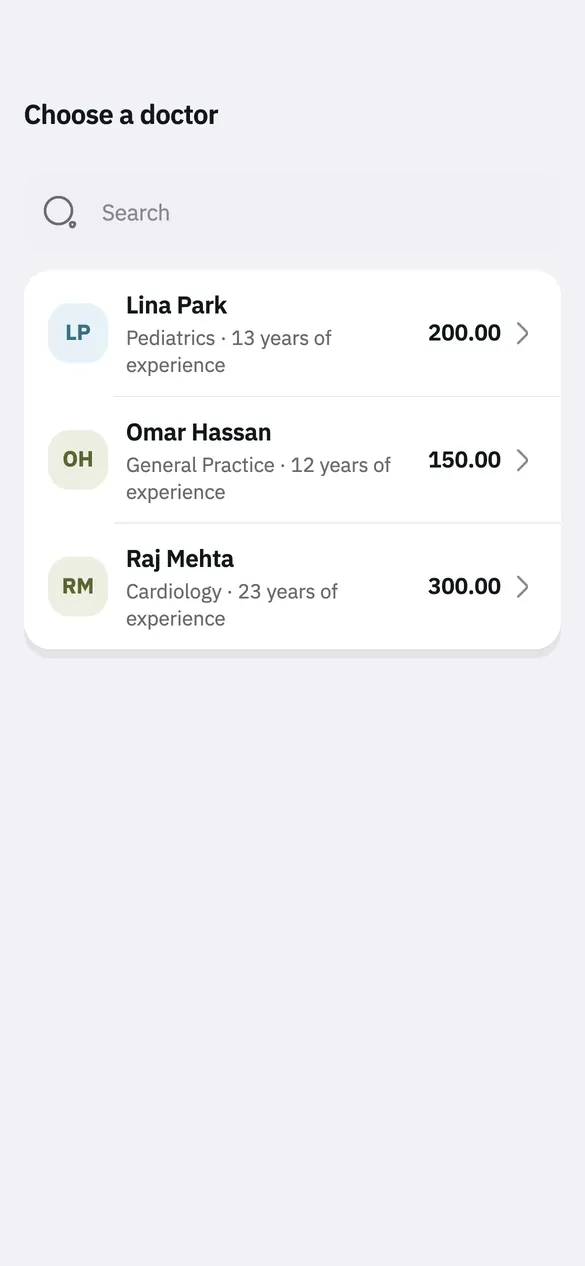
Browse doctors and specialties, pick a free time that suits you, and book or cancel on your own — in four steps: doctor, time, reason for the visit, confirm.
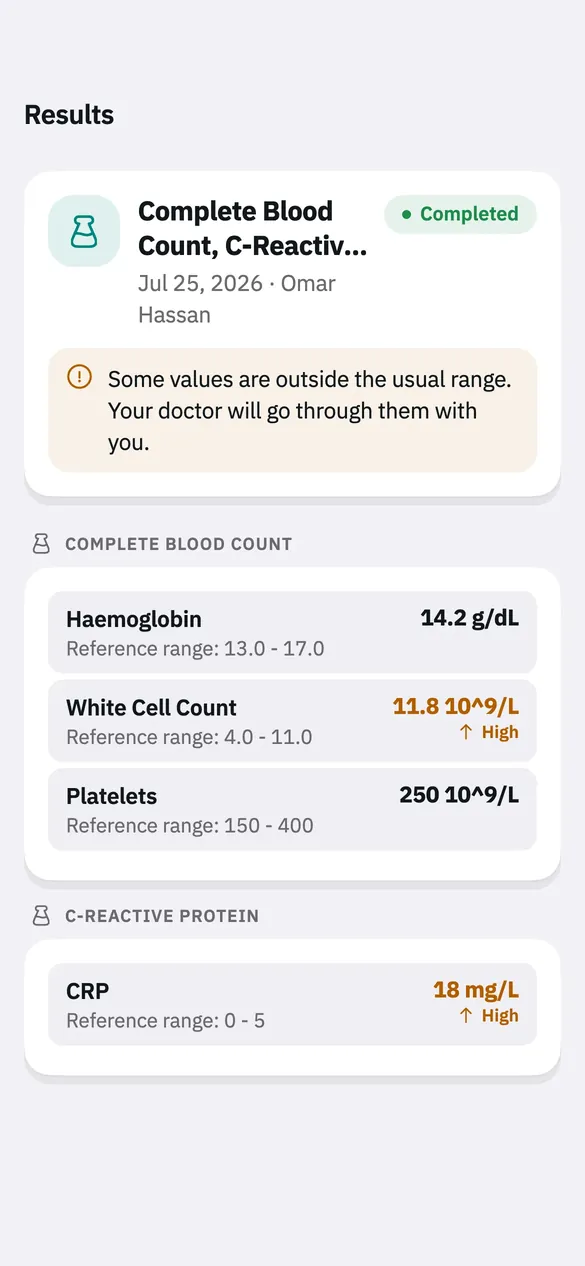
Results appear once the hospital has reviewed them, each value next to its reference range — with a calm note when one falls outside it, for your doctor to go through with you.
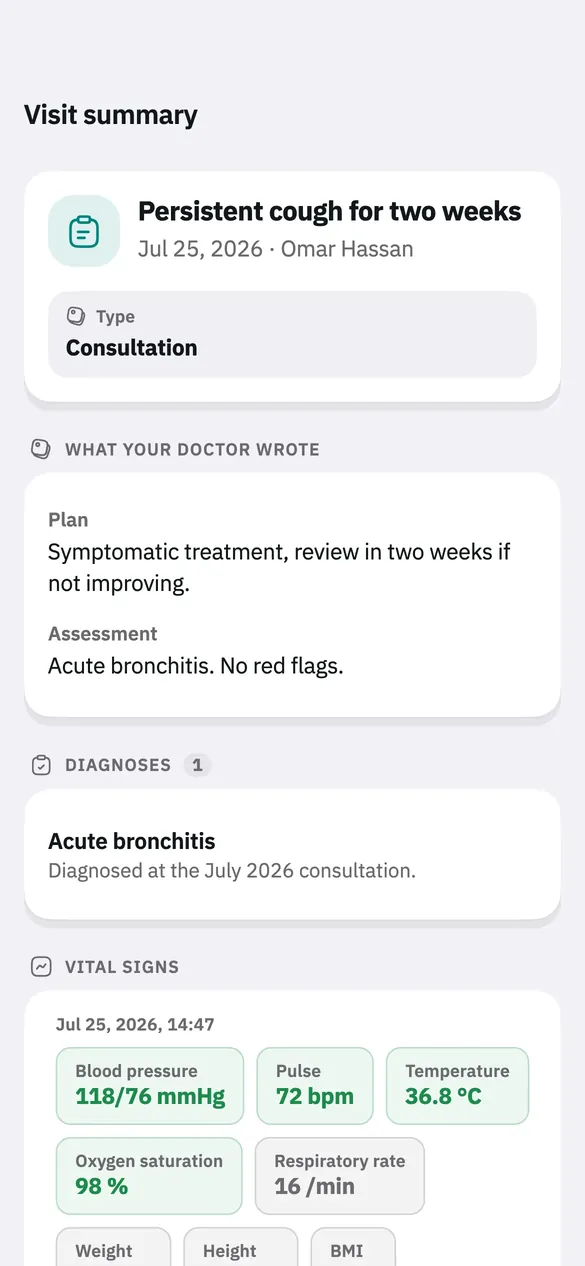
Visits and their summaries, prescriptions, referrals, imaging reports, vitals and documents — as the hospital recorded them.
Join your video consultation from the app and message your doctor in the session chat.
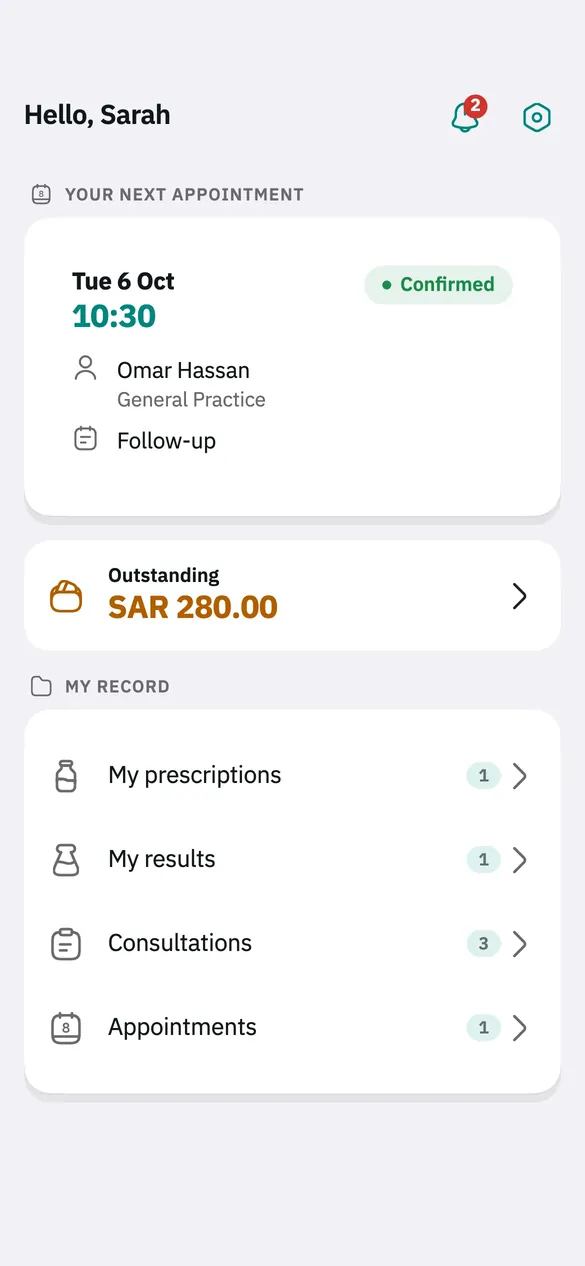
Invoices, payments, what you owe and your insurance details, in one place.
On your phone and in the app: appointment reminders, a note when an appointment is booked, confirmed, cancelled or moved, and when a result is ready or a payment received.
Save an invoice, a prescription or your lab results as a PDF, or print it straight from the app.
Choose your language and appearance, or let the app follow your phone.
For patients
In the app or on the patient web portal, keep track of everything the hospital holds for you.
Never been to the hospital? Contact reception — they can open a file for you, or create your online account.
Screenshots
Real screens from the patient side of the app.
For the hospital team
Staff accounts are issued by the hospital, and what each person sees follows their role and permissions: a doctor sees what a doctor needs, reception sees what reception needs.
Fine-grained permissions for every role, and protected accounts at every step.
About Teryaq
In Arabic, teryaq (ترياق) means a remedy — the cure for what ails you. The name says what the system is for: making a patient’s way through the hospital clearer and easier, and taking paperwork and system-hopping off the care team.
Teryaq is a complete management system for hospitals and clinics: a mobile app (Android and iPhone) for patients and staff, a web dashboard for staff, and a web portal for patients. They all work from the same server, so what the hospital records is what you see.
We treat your health information as sensitive data, and we say what we do with it in plain language.
FAQ
If you have been to the hospital before, create your account in the app with the file number on your hospital card and your date of birth, then your email and a password.
If you are not registered yet, contact reception and they will register you. Hospital staff can also create an online account for you.
Yes. The first screen lists the hospital’s doctors and specialties. You need an account to book, so the appointment is attached to your medical record.
You, and the hospital staff authorised to, according to their role. We don’t sell data or use it for advertising. The details are in our privacy policy.
Once the hospital has reviewed them. Each value is shown with its reference range; if some fall outside it, your doctor will go through them with you.
Yes. Open the result, invoice or prescription in the app and tap the print button: you see a preview, then print it, save it as a PDF, or share it.
In the app: Settings → Delete account. Your sign-in is deleted; the hospital keeps your medical record, as the law requires. Everything is explained on the account deletion page.
Staff accounts are issued by the hospital, and what you see follows your role and permissions. You can turn on two-step verification in Settings.
Yes. You can switch the language and the appearance (light, dark, or matching your phone) in Settings.
Soon, on Google Play and the App Store. The download links will appear on this page as soon as it is available.

We are preparing the release on Google Play and the App Store. These buttons will turn into download links as soon as it is out.
Contact
Questions about the app, your privacy or deleting your account.
We answer questions about the Teryaq app, privacy and account deletion.
abdullah.sa.albadi@gmail.comPlease contact the hospital that treats you directly — it creates and manages your medical record.
Teryaq is provided by Save Points, based in Unaizah, Al-Qassim Region, Saudi Arabia.